Let’s start with a simple question: Who really wins this race?
Table of Contents
Imagine two freelancers, providing exactly the same service, with almost the same skill. The first spends six hours a week on purely administrative tasks — drafting letters, summarizing meeting notes, designing a simple presentation. The second accomplishes the same tasks in less than two hours, using tools that cost him nothing, and invests the saved time in mastering the part that truly deserves his human skill.
After just one year, the difference between them will not be in “who knows AI best”— but in actual income, the number of projects completed, and each’s reputation with its clients. This is exactly what a number worth pausing at reveals: 77% of freelancers now use AI tools in some part of their workflow, and those who use them achieve productivity gains ranging between 20% and 40%. This is no longer a marginal statistic for early innovators — it has become the actual baseline for competition in freelance work in 2026.
And the best news of all: You don’t need a software budget to be a winner in this race. Let’s review the tools that actually do this, for free.
Top 10 Free AI Tools for Freelancers
1. ChatGPT — Best All-Around Assistant
ChatGPT’s free plan gives you access to the GPT-4o model with daily usage limits, and it’s virtually the tool that covers the widest range of freelancing tasks on this list — from crafting cold communication messages to brainstorming project ideas, to debugging a quick piece of code, or summarizing a long client summary. If you’re only going to choose one tool to get started, this covers the widest range of use cases.
Best suited for: writing, idea generation, research, light programming, customer communication.
2. Claude — Best for long documents and precise writing
Claude’s free plan is the most powerful choice for defining long documents, editing work, and tasks that require more careful thinking than just a quick chat answer— like presentations, detailed feedback on a draft, or working through a complex section of a client summary section by section.
Best suited for: long writing, editing, careful thinking tasks.
3. Perplexity — Best Free Research Tool
Perplexity pulls live information from the web and points directly to the source of each piece of information, making it actually useful for searching in a way that a regular chat tool doesn’t — you can verify claims instead of believing AI output on its blindness. It also allows you to save searches in spaces (Spaces) organized for ongoing customer search projects.
Best suited for: customer research, fact checking, competitive research
4. Canva AI — Best Free Design Tool
Canva’s free plan combines thousands of templates with AI-powered design features, covering social media posts, presentations and marketing graphics without requiring any design training. For freelancers who sometimes need visual elements without being their own designers, this tool remains the quickest way to something ready to offer a client.
Best suited for: social graphics, presentations, quick marketing visuals.
5. Grammarly — Best Free Proofreading Tool
Grammarly’s free plan picks up grammar, punctuation, and style errors more reliably than a general AI assistant, because it’s specifically designed for this particular task. For freelance content writers and anyone who sends texts to clients, it remains virtually an essential safety net.
Best suited for: proofreading, detecting errors before they reach the customer
6. Otter.ai — Best Free Meeting Transcription
Otter.ai’s free plan automatically dumps and recaps calls, saving freelancers the time they typically spend manually writing meeting notes after each client call. Especially useful for freelancers who manage multiple client relationships at once, as remembering exactly what was agreed upon on each call becomes important.
Best suited for: transcribing customer calls, meeting summaries.
7. Copy.ai — Best Free Short Text Plan
Copy.ai is one of the most generous tools in its free plan, offering unlimited short content — social media posts, email addresses, product descriptions, advertising logos — completely free. For social media freelancers who manage multiple customer accounts, its workflow-building tool can significantly reduce the time it takes to produce recurring content.
Best suited for: Social media freelancers, short marketing texts.
8. Notion AI — Best for organizing customer work
Notion itself remains virtually useful for free — unlimited single-use pages and modules — for organizing customer summaries, project notes, and outputs into one workspace. Honestly worth noting: As of 2026, the full Notion AI features are exclusive to the paid Business plan and not available in the free plan. If summarizing and crafting with AI within Notion specifically is what appeals to you, include this upgrade in your budget instead of assuming it’s included for free.
Best suited for: Organizing client projects and summaries (AI features require a paid plan).
9. Gamma — The best free AI presentation tool
Gamma automatically turns rough notes or a rough outline into a professional presentation or single page, saving real time for freelancers who need to send a proposal or presentation to a client without spending hours designing slides.
Best suited for: quick customer suggestions, presentations.
10. Remove.bg — Best Free Background Removal Tool
A scoping but actually useful tool: Remove.bg removes product photos or portrait wallpapers in seconds, for free, with no Photoshop skills required. For freelancers who sometimes deal with photographing customer products or selfies, this tool completely eliminates a specific recurring inconvenience.
Best suited for: quick product photo editing, portrait photo cleaning.
| Tool | Category | Free Tier Highlight | Paid Plan (If Needed) |
|---|---|---|---|
| ChatGPT | All-around assistant | GPT-4o access, daily limits | $20/month (Plus) |
| Claude | Long-form writing & editing | Free tier with usage limits | $20/month (Pro) |
| Perplexity | Research | Cited web search, Spaces | $20/month (Pro) |
| Canva AI | Design | Thousands of free templates | ~$13/month (Pro) |
| Grammarly | Proofreading | Core grammar & style checks | $12/month (Pro, annual) |
| Otter.ai | Meeting transcription | Free transcription & summaries | Paid tiers for more minutes |
| Copy.ai | Short-form copywriting | Unlimited short-form copy | Paid tiers for workflows |
| Notion AI | Project organization | Free workspace (AI needs Business plan) | $20/user/month (Business) |
| Gamma | Presentations | Free AI-generated decks | Paid tiers for more exports |
| Remove.bg | Background removal | Free background removal | Paid for bulk/high-res |
How to build a free toolkit without overspending?
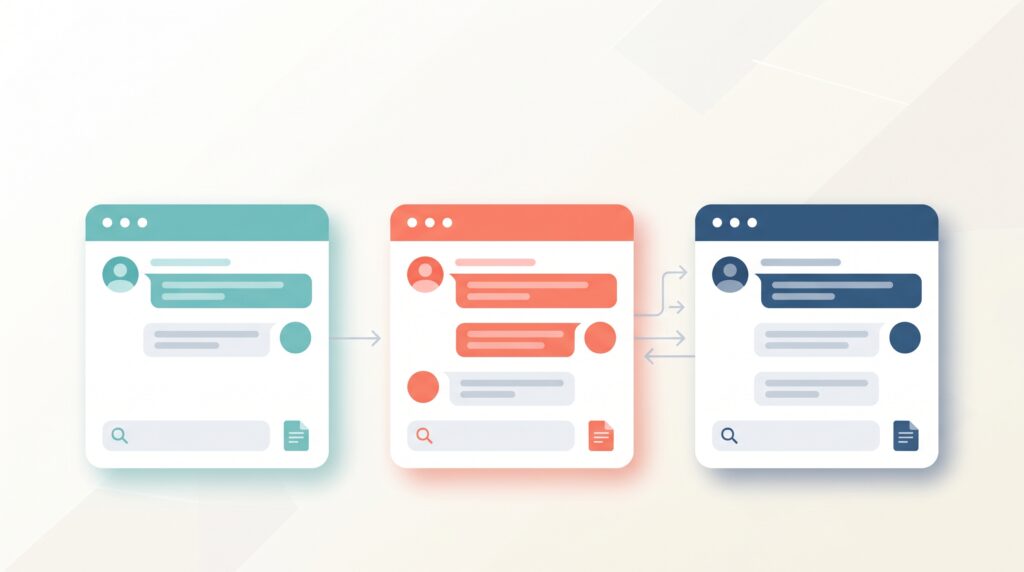
A realistic starter kit that costs nothing: ChatGPT or Claude for writing and generating ideas, Perplexity for research, Canva for design, Grammarly for proofreading, and Otter.ai for call notes — five tools that cover the core of most freelancer workflows at zero cost per month. A common mistake is to buy overlapping paid tools before testing what the free plans actually cover; first identify your specific obstacle —writing, design, meetings, research — and only upgrade the one tool that solves that particular problem, and only when its actual free limitations start to hold you back.
The voice that speaks in my mind when choosing tools
The honest truth I came up with after testing all of these tools: The real question is not “which tool is more powerful?” Rather, “Which actual obstacle in my workflow is worth solving first?” Many freelancers fall into the trap of trying one tool after another without a clear plan, and end up with five similar tools that do almost the same thing, while the real obstacle — unpacking meetings, or designing a presentation — remains unresolved. The smartest strategy isn’t “try everything for free because it’s free”, but rather “test one tool that solves a specific problem, and master it before moving on to the next”.
Where do free tools show their shortcomings?
In full transparency: free plans have real limits. ChatGPT, Claude, and Perplexity’s free plans all limit daily use in ways you’ll likely encounter if you’re using them for real client work rather than occasional tasks.— They’re actually useful for testing the tool’s suitability for your workflow before paying, but daily professional use typically justifies the plan, which is paid around $20 per month, at a reasonable speed. It’s also important to be careful about what you enter into these tools: avoid pasting confidential client data into any AI tool without explicit permission, and never send raw AI output to a client without editing and validating it yourself first.
FAQ
What are the best free AI tools for freelancers in 2026?
ChatGPT, Claude, Perplexity, Canva AI, Grammarly, Otter.ai, Copy.ai, Notion, Gamma, and Remove.bg all offer truly useful free plans that cover writing, research, design, voice transcription, and customer communication.
Can freelancers rely entirely on free AI tools, or do they need to pay eventually?
Free plans cover real work well for novice freelancers or those who use AI casually, but everyday professional use usually hits the limits of use quickly — at that point, paid plans at around $20 per month justify their cost within a few days of the time saved.
Which free AI tool should a freelancer try first?
A free ChatGPT plan is generally the best starting point, because it covers the widest range of use cases — writing, research, light programming, customer communication — in one tool.
Is Notion AI free for freelancers?
No — While the core Notion workspace remains free and useful for organizing client projects, Notion AI’s full features (summarization, automatic drafting) require a paid Business plan as of 2026.
Do AI tools actually help freelancers earn more?
Freelancers who use AI to handle automated and repetitive parts of their work, focusing their saved time on more experienced tasks, report significantly higher hourly earnings, according to several 2026 freelancing market surveys, although results vary by specialty and how they actually reinvest the saved time.
Is it safe to use free AI tools for client work?
Generally yes to drafting and research, but avoid pasting confidential customer data into any AI tool without explicit permission, and always review and verify the accuracy of AI output before sending it to any customer.
Final Verdict
You don’t need a software budget to compete as a freelancer in 2026 — Free plans from ChatGPT, Claude, Perplexity, Canva, and Grammarly alone cover writing, research, design, and proofreading at zero cost, and Otter.ai and Copy.ai complement meetings and short texts with equal efficiency. The real skill isn’t in collecting more AI tools, but in identifying your actual obstacle and choosing the one free tool that solves it, before spending anything on a paid upgrade that you may not need yet.
Sources
Zemith, “Best AI Tools for Freelancers in 2026: Save 10+ Hours a Week”: https://www.zemith.com/en/contents/best-ai-tools-for-freelancers-2026
Enterprise DNA, “Best AI Tools for Freelancers 2026”: https://enterprisedna.co/resources/blog/best-ai-tools-freelancers-2026/
BrightSEOTools, “10 Free AI Tools Every Freelancer Needs in 2026”: https://brightseotools.com/post/Free-AI-Tools-Every-Freelancer-Needs
AInexte, “10 Best AI Tools for Freelancers 2026 — Free & Paid”: https://ainexte.com/best-ai-tools-for-freelancers-2026/
Buildarity, “9 Free AI Tools for Freelancers in 2026”: https://buildarity.com/2026/05/16/free-ai-tools-freelancers/
NewBananaPrompts, “15 Best AI Tools for Freelancers in 2026: Free and Paid Picks”: https://newbananaprompts.in/post/best-ai-tools-for-freelancers-2026