Table of Contents
Introduction
Here’s a number worth knowing before opening a wallet: The average cost of a paid SEO tool is between fifty and one hundred dollars per month. If you’re just starting a blog or small business website, this is a real expense before you even know if your content strategy is actually working.
The good news is that you don’t have to. In 2026, the free tools available —mostly from Google itself— are actually powerful enough to handle keyword research, technical auditing, backlink scanning, and ranking tracking for an entire year or more. This guide reviews the best free SEO tools for beginners, what each tool actually offers, and how to use them together as a real workflow instead of just a random pile of bookmarks.
Why You Don’t Need to Pay for SEO Tools Yet
The basic functions of SEO — knowing what people are searching for, checking your site’s performance, fixing technical issues, and tracking rankings — are all covered by free tools with no trial period and no credit card required. The real challenge isn’t finding free SEO tools; it’s figuring out which ones are actually useful, and how to integrate them into a real workflow rather than assembling tools that never open.
A Quick Personal Note
We built this same free toolkit when we started writing SEO content for this site— without any paid tools until traffic and revenue justified it. A simple discovery we made early on via Search Console— A post we thought was targeting a specific keyword, but it turned out to actually result in a different phrase associated with it — is the only habit that has changed the way we approach keyword targeting in every post since then. This kind of understanding is not compensated for by any paid tool; it comes from actually monitoring your private data.
The 10 Best Free SEO Tools for Beginners
Google Search Console — Start Here, Always
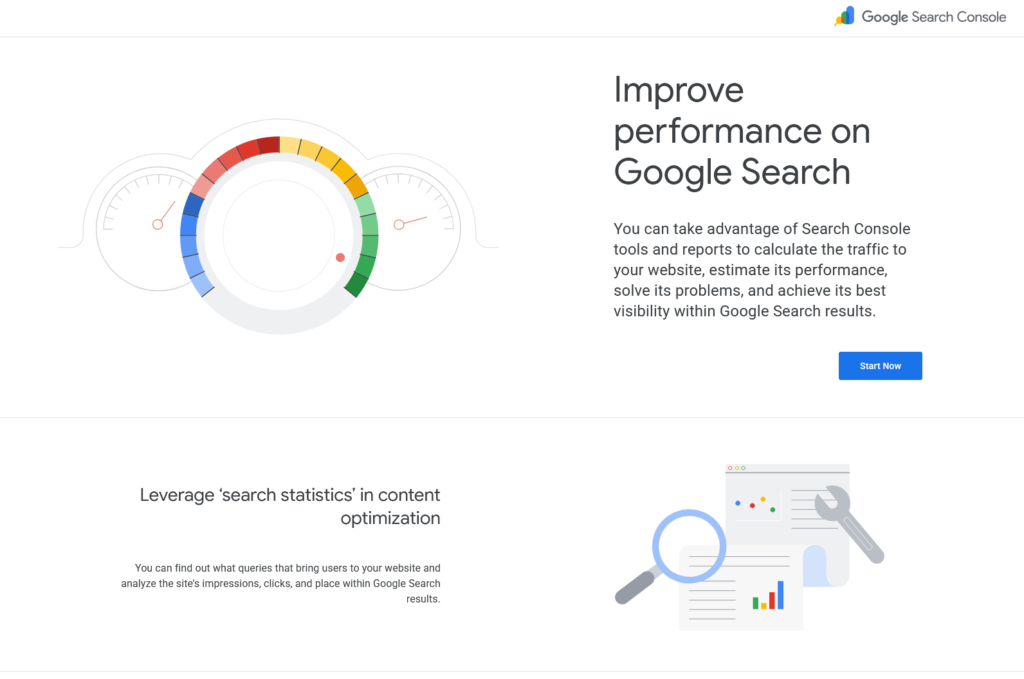
This is the most important free SEO tool ever for any website owner, because the data comes directly from Google itself rather than at the discretion of a third party. Shows exactly which search queries bring up impressions and clicks for your site, which pages are indexed, and which technical errors Google has spotted. No other tool can simulate this because it’s not an estimate — it’s Google itself telling you exactly how your site performs in its search results.
Google Keyword Planner — Free Keyword Research
Built into Google Ads, Keyword Planner gives you search volume ranges and competing data straight from the source. You don’t have to run any actual ads to use it — just log in with a free Google Ads account, go to Tools & Settings ← Planning ← Keyword Planner, and start searching. Especially useful for checking for real search demand on a blog topic idea before you spend hours writing it.
Google Trends — Spot Rising Topics Early
The Google Trends tool shows how interest in a topic or keyword has changed over time, and allows multiple terms to be compared side by side. Particularly useful for monitoring an uptrend before competition catches up — exactly the kind of time preference that matters for topics related to new product launches or industry shifts.
Google Analytics (GA4) — The Full Picture
While Search Console shows search performance, GA4 shows what happens after a visitor arrives on your site — how long they stay, which pages they leave from, and what actually converts them. Both tools are free and have no limit of use, and together they give you the full picture of before and after content performance.
Ubersuggest — Beginner-Friendly All-in-One
Ubersuggest brings together keyword research, content ideas, and basic site auditing features within an easy-to-use interface, with a free plan that covers the basics without requiring a credit card in advance. A reasonable middle step between Google’s raw tools and a fully paid platform like Semrush.
Sistrix Smart — Free Technical Site Audit
Sistrix Smart tool is actually useful as a free technical audit tool designed specifically for beginners with small websites. You work with a single domain, crawl up to a thousand pages, and scan your site for over a hundred criteria — missing descriptive titles, broken links, technical errors — with clear, simplified language explanations for each problem rather than just a list of technical terms. The only limitation: only one manual crawl per week, and limited keyword tracking to 100 terms, but for a beginner learning to monitor technical issues, it’s hard to compete with it at zero cost.
Screaming Frog SEO Spider — Deeper Technical Crawls
Unlike browser-based widgets, Screaming Frog is a desktop app that crawls your site locally on your device, not on your provider’s servers. The free version is limited to 500 links, which is actually enough for most beginner and small business sites, and monitors technical issues — broken links, missing tags, redirect strings — that lighter tools may miss. Worth knowing: The 500-link cap counts every link that has been crawled, not just published pages — this includes images, scripts, and redirection strings, so a site with 300 blog articles may reach the cap faster than expected once these items are counted.\
AI Tools (ChatGPT, Perplexity) — Content Ideation and Research
AI chat tools have become a really useful free addition to your beginner’s SEO toolkit— not as a substitute for real research tools, but for brainstorming content angles, generating different formulas for questions people might search for, and quickly summarizing the structure of competitors’ content before writing your own.
AnswerThePublic — Question-Based Keyword Ideas
This tool displays actual questions that people type into search engines about a particular keyword, and is especially useful for building FAQ sections around real questions and finding corners for long-tail topics you wouldn’t have thought of on your own. The free plan limits the number of daily searches, but a few searches per day is usually enough for a beginner’s content plan.
PageSpeed Insights — Free Site Speed Check
Site speed directly impacts both ranking and user experience, and Google’s PageSpeed Insights tool itself gives you a free, straightforward performance score, along with specific, actionable fixes — not just a number, but exactly what’s slowing your site down and how to address it.
Comparison Table
| Tool | Best For | Free Limit | Signup Required? |
|---|---|---|---|
| Google Search Console | Search performance data | Unlimited, no cap | Yes (free Google account) |
| Google Keyword Planner | Keyword volume research | Unlimited searches | Yes (free Google Ads account, no ad spend needed) |
| Google Trends | Trend/timing research | Unlimited, no cap | No |
| Google Analytics (GA4) | On-site behavior tracking | Unlimited, no cap | Yes (free Google account) |
| Ubersuggest | All-in-one beginner research | Limited daily searches | No (limited use), Yes (for more) |
| Sistrix Smart | Technical site audit | 1 domain, 1,000 pages, 1 crawl/week | Yes |
| Screaming Frog SEO Spider | Deep technical crawling | 500 URLs per crawl | No |
| AnswerThePublic | Question-based keyword ideas | Limited daily searches | No |
| PageSpeed Insights | Site speed diagnostics | Unlimited, no cap | No |
| ChatGPT / Perplexity | Content ideation & research | Free tier available | Yes (free account) |
How These Tools Work Together
Here’s a realistic workflow for beginners using just the tools above, at zero cost: Use Google Trends and Keyword Planner to check for real search demand on the topic, use AnswerThePublic to craft a FAQ section around real questions people are asking, and then write the post, Use Search Console over the following weeks to see which queries actually rank —and it often surprises you— and use Sistrix Smart or Screaming Frog periodically to monitor for technical issues before they silently hurt your ranking.
None of these tools compensate for good writing. No addition can save a post that doesn’t actually answer the reader’s question — tools give you data and a feedback loop; The actual arrangement remains dependent on content that truly benefits the person searching.
Where Free Tools Genuinely Fall Short
To be fully transparent, free tools hold real gaps. Sistrix Smart cannot analyze competitors or manage multiple projects. AnswerThePublic limits daily searches. None of these tools provide the historical ranking difficulty scores or deep backlink gap analysis provided by paid platforms like Semrush or Ahrefs. This guide doesn’t claim that free tools are as good as paid ones in every situation — just that they’re actually enough to get you started, learning, and organizing before that investment makes sense for your budget.
When You’ll Actually Need a Paid Tool
The free tools virtually cover most beginner and small site needs for a full year or more. The clearest sign that you’ve surpassed it: You need to track more than 100 keywords, you need deeper analysis of competitors’ backlinks, or you manage more than one domain and need centralized reporting. At this point, a tool like Semrush or Ahrefs starts to justify its monthly cost— but there’s no need to pay for this capability before you actually need it.
FAQ
Do I really need to pay for SEO tools as a beginner?
No; Free tools like Google Search Console, Keyword Planner, and Sistrix Smart cover keyword research, technical auditing, and ranking tracking adequately for most beginners and small sites for an entire year or more.
What’s the single most important free SEO tool?
Google Search Console, because its data comes directly from Google itself rather than at the discretion of a third party, shows exactly which queries bring traffic to your particular site.
Can I do keyword research without paying for a tool?
Yes, both Google Keyword Planner (within a free Google Ads account) and Google Trends offer real search volume and trend data at no cost.
Is Ubersuggest actually free, or just a trial?
Ubersuggest offers a truly free plan that covers basic keyword and content search features, without requiring a credit card in advance, although its more advanced features are reserved for a paid plan.
How often should I check my SEO tools?
At least once a week— This is enough to monitor performance trends and spot new technical issues before they pile up, especially using free tools like Search Console and Sistrix Smart.
When should I upgrade to a paid SEO tool?
Once you need to track over a hundred keywords, need deeper backlink data from competitors, or manage multiple domains— free tools cover a basic beginner’s workflow well beyond that point.
Final Verdict
You don’t need a subscription to start practicing real SEO. Google Search Console, Keyword Planner, and Google Trends alone cover the basics of search and track performance at zero cost, while Sistrix Smart and Screaming Frog fill the technical audit gap that free tools can sometimes miss. Master these tools first — The long-term SEO success equation has always been valuable content plus sound technical fundamentals plus real benefit to the researcher, not the price written on your tools.
aslo read
https://bestimoz.com/convertkit-vs-mailchimp-2026-best-tool-for-creators/