Imagine you’re about to furnish your new apartment. You can take the boutique approach: buy a comfortable chair from one place, a gorgeous reading lamp from another, and a hand-woven rug from a third, Each piece is excellent on its own, but coordinating the delivery of all eleven items and making sure the invoices don’t overlap is, in itself, a task that takes as much time and effort as a part-time job.
Or you can simply head to the nearest IKEA store—one trip, one delivery, one invoice—and achieve an acceptable harmony in the overall look of your furnishings. Best of all, you’ll be back home before dinner time. It’s true that none of your purchases are the best of their kind in the world, but you now have a fully furnished apartment,
The Zoho One suite serves as a clear and practical application of the IKEA principle in the world of SaaS business software: one username and one password, and you’ll get 45 services, one monthly bill instead of having to get a customer relationship management (CRM) system from one company, a scheduling tool from another, and an email platform from a third. This review examines the reality of this experience in actual daily use, highlighting the areas where the suite proves its efficiency and those where it suffers from some shortcomings or instability—just like IKEA shelves, which may wobble a little at times.
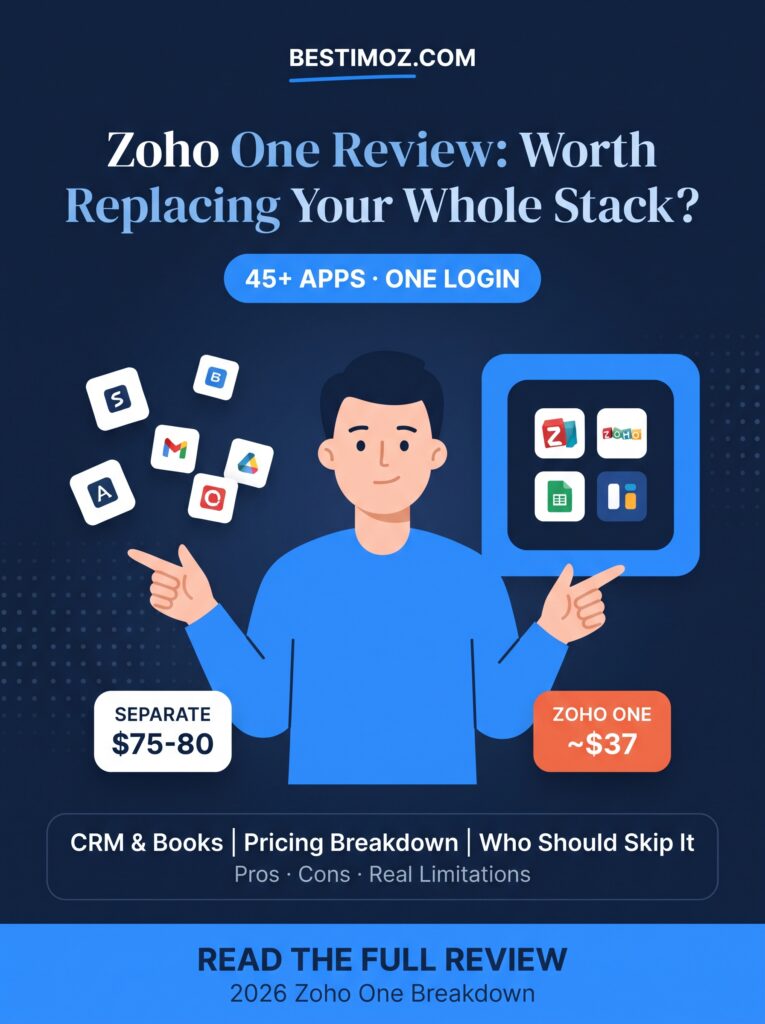
The IKEA Theory of Business Software
Here’s the uncomfortable math that most content reviewing the “best Software-as-a-Service (SaaS) tools” implicitly ignores: If you choose the best customer relationship management (CRM) tool, the best scheduling tool, the best invoicing tool, and the best email platform, you’re essentially signing up for four separate subscriptions, dealing with four different logins, and dealing with four companies that have never coordinated with each other regarding your data.
Zoho’s entire philosophy revolves around the idea that this fragmentation is the real problem—not that a particular tool is slightly less efficient than its specialized competitor. It’s about a single login, a unified customer profile shared across all applications, and a single bill at the end of the month instead of four.
The practical viability of this option depends on the nature of the “specialized” tool it will replace, and this is where a genuine comparison—one that goes beyond simply reviewing a list of features and specifications—becomes crucial.
What Is Zoho One, Actually?
Zoho One isn’t just a single app; it’s a licensing package that gives every user access to the full suite of Zoho apps at once, including: Zoho CRM, Books (for accounting), Projects, Desk (for technical support), Campaigns (for email marketing), Bookings (for scheduling appointments), Flow (for process automation), WorkDrive (for cloud storage), Analytics, Sign, Social, and many more. All of these share a unified set of login credentials and, in theory, rely on a single interconnected dataset.
The artificial intelligence layer that operates across this suite of applications is known as **Zia**, and the 2026 update expanded its scope of work; it evolved from a simple assistant to something resembling “autonomous agents”; For example, it can now detect a sales deal at risk of failing before the sales representative notices it, or automatically approve small invoices below a certain threshold that you set, rather than simply answering questions as they arise.
Pricing at a Glance
| Plan | Price | How It Works | Best For |
| Zoho One — All Employee Pricing | ~$37/user/month | Every employee needs a license | Small teams where most staff touch at least one Zoho app daily |
| Zoho One — Flexible User Pricing | Notably higher per user | Only license the specific users who need it | Larger teams where only a subset of staff need full access |
| Buying Equivalent Standalone Tools | ~$75–80/month combined per core user | Separate CRM, scheduler, invoicing, automation, and email tools | Teams wanting the single best tool in each category |
Where Zoho One Beats the Specialty Shop
This is the section that most Zoho reviews overlook, because it requires actual knowledge of the standalone alternatives available. Here’s a comparison between this package and the tools we’ve covered elsewhere on this site:
Zoho CRM vs. Standalone CRM Systems — Zoho CRM includes “Zia” AI features for analysis and automation (which typically come at an additional cost on competing platforms); we’ve covered this topic in more detail in the article HERE
Zoho Bookings vs. Calendly — The Bookings tool is included at no extra cost in the Zoho One package and syncs directly with Zoho CRM, unlike Calendly, which requires a separate subscription fee (as mentioned in the article HERE).
Zoho Flow vs. Zapier— Flow performs the same automation function of “connecting App A to App B” that Zapier does, but without the need for a separate subscription once you have the Zoho One package.
Zoho Campaigns vs. Mailchimp — Campaigns connects directly to the contact data in your CRM system and updates it automatically, whereas Mailchimp (which we recommend for beginners in the article HERE requires manual synchronization of lists.
Zoho Sign vs. DocuSign/HelloSign — These tools offer functionally similar capabilities for electronic signatures, but Zoho Sign is included in the all-in-one package rather than requiring a separate purchase.
When considering these factors together, the Zoho One package is the best option for anyone planning to purchase three or more of these tools separately.
Try zoho one from here: https://go.zoho.com/dWiM
The Wobbly Shelf Problem (Honest Limitations)
This is where the IKEA analogy really hits home; hands-on testing of the Zoho One integrated suite consistently reveals the same complaint: although the promise is a unified system, the day-to-day experience feels like working with separate tools that share nothing more than a login screen. A recurring example of this is that the customer relationship management (CRM) and accounting (Zoho Books) systems are—technically speaking—separate systems at their core; so seamless integration between them to perform tasks such as order processing requires deliberate setup and configuration—it doesn’t happen automatically once you start using the system.
Furthermore, the user interface of the entire suite appears noticeably outdated when compared to newer, venture-capital-backed competitors; common tasks—specifically within Zoho CRM—require a few extra clicks compared to more streamlined, single-purpose tools. While these observations do not necessarily mean the software is unsuitable, they do suggest that the pitch of “just log in and everything will work together magically and seamlessly” greatly exaggerates the actual setup and configuration experience.
Perhaps the most telling statistic in this regard is that most companies using Zoho One end up utilizing only between 10% and 20% of the features actually available; This isn’t so much a flaw in the software as it is a reflection of the fact that the system’s true value only becomes apparent after it has been configured and customized to fit your company’s workflow—it doesn’t happen automatically just by signing up.
Pros and Cons
Pros
- Clearly more cost-effective than purchasing three (or more) specialized tools separately at their individual prices
- – A single login and a single invoice, instead of the hassle of dealing with multiple vendors at once
- – The advanced AI agent features in “Zia” (such as tagging and automatic approval) surpass what most single-purpose competing tools offer by default
- – The ability to start with just a few applications (such as CRM, Mail, and Books) and activate more later without having to sign a new contract
Cons
- Individual apps seem to be of lower quality than the best competing apps specializing in the same category.
- – True integration between apps requires manual configuration, rather than automatic integration.
- – The user interface feels outdated in some areas, with extra taps required for common tasks.
- – It requires a significant investment in setup, as most features remain unused without careful configuration.
Who Should Buy Zoho One (and Who Shouldn’t)
Buy this product if: You’re already planning to pay for three or more separate tools (such as CRM, appointment scheduling, automation, email, and invoicing) and don’t have an urgent need for the “absolute best” version of any one of them in particular.
Avoid this product—at least for now—if: You’re a freelancer and only need one or two tools; the package price (calculated per user) loses its cost-effectiveness if you aren’t actually using most of the features included. You should also hold off if your business relies heavily on a specialized tool that’s considered the best in its category (for example, a serious e-commerce brand that relies specifically on the Shopify ecosystem), as the standalone specialized tool clearly outperforms its Zoho counterpart.
FAQ
Is Zoho One actually cheaper than buying separate tools?
For teams that would otherwise have had to pay for three or more specialized SaaS tools, yes—the bundle typically costs half as much as those tools would individually.
Does Zoho One work for businesses in Egypt, Saudi Arabia, or the UAE?
Yes, Zoho is actively working to expand its regional support; this includes launching Zoho Payroll in Saudi Arabia and the United Arab Emirates specifically, as well as making the platform more widely available across the Middle East and North Africa region.
Is Zoho One good for a solo freelancer?
Usually not; a package-based pricing model is more cost-effective for each user when a small team shares the use of multiple apps included in the package. For a freelancer working alone, however, relying on two or three individual tools (within the free usage tiers) is often a better option.
How hard is it to migrate from my current tools to Zoho One?
Zoho provides built-in tools for transferring data from popular platforms such as Google Drive and Dropbox, but you should expect to set aside some time for the actual setup; achieving true integration between Zoho applications (such as CRM and Books) typically requires manual configuration rather than working automatically.
Is Zoho One better than Microsoft 365 or Google Workspace?
It depends on your needs; while Microsoft 365 and Google Workspace focus primarily on email, documents, and communication, Zoho One offers integrated features for customer relationship management (CRM), accounting, and customer support—services that most companies typically have to pay for separately.
Can I use just a few Zoho One apps instead of all 45+?
Yes, most companies actually use only a few of the applications covered; starting with two or three applications (typically CRM, email, and accounting) before expanding is the most realistic approach that most teams actually follow.
Conclusion
The Zoho One suite won’t come out on top in a direct feature comparison when pitted against the best customer relationship management (CRM) software, the best appointment scheduling tool, or the best email platform—if each were evaluated individually. But that wasn’t the main point of the offer; the real benefit is that—for about $37 per user—you get a cohesive, integrated suite of all these tools together, which is actually less expensive than putting together the best specialized (boutique apps) yourself—provided you’re realistic about which of the more than 45 apps you’ll actually use. And if you’re currently managing three or more separate invoices for cloud software (SaaS) services,