Table of Contents
There’s a simple question that worries every team manager, from a small team owner of ten people to an operations manager at Outsourcing who oversees five hundred employees: “What is my team actually doing now?”
This question is not necessarily asked out of suspicion or voyeurism, but because the nature of the work itself has changed. When everyone was sitting in the same office, this question was decided on its own; It is enough to walk between desks to see who is focused and who is lost. Today, all you have is a green circle next to your colleague’s name on Slack, and this circle indicates nothing but that his computer is open.
This gap, between “the time it’s supposed to take to work” and “the time it actually takes,” is exactly what tools like Insightful.io are trying to bridge. But before judging it, it is worth understanding first: Does this tool solve a real problem, or does it invent a problem to sell a solution?
Part 1: The Problem Nobody Wants to Admit They Have
There’s a fact that’s rarely said bluntly: Most managers don’t actually know where their time or their teams’ time goes. Not because of laziness, but because wasted time seeps into small, accumulated details: ten minutes here to review the email, a quarter of an hour there waiting for a response from another team, a meeting that could have been one email. Each of these moments does not constitute a disaster on its own, but over the course of an entire month it turns into dozens of lost hours that no one can include in a report.
This problem has worsened with the spread of remote work. Companies that used to manage their teams based on “physical presence” found themselves having to manage based on “data” instead. Hence the emergence of an entire branch of tools known as Workforce Analytics, which goes deeper than the mere “time tracking” offered by traditional Timesheet tools; it’s an attempt to understand the same business pattern: When does a team reach peak productivity? Where is the workflow crashing? What is the difference between the time the screen is open and the time actual work is done?
Insightful.io is one of the major players in this field.
Part 2: OK, So What Actually Is Insightful.io?
Insightful.io (formerly Workpuls) is a Work Intelligence platform & Workforce Analytics platform, founded in 2016 in San Francisco. The basic idea is simple: a small tool (Agent) is installed on employees’ devices, which collects data about actual usage —open programs, sites visited, moments of activity and moments of inactivity (Idle Time)— and then converts this raw data into visual reports and control panels that are easy to understand.
In other words, instead of asking the employee, “What did you do?”, the system actually displays where they spent the last hour without requiring an inaccurate estimate from either party.
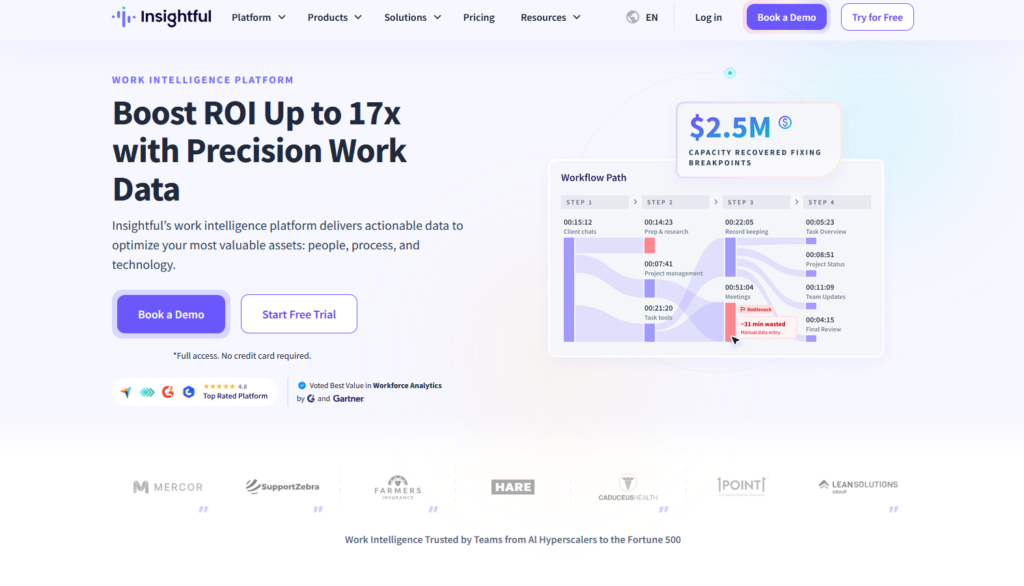
What sets Insightful apart from simple time tracking tools (like the ones freelancers use to just calculate hours worked) is its attempt to answer a deeper question: not just “How much time did he work?”, but “Was this time really productive?”, and “Where exactly do bottlenecks occur in workflow?”. This second part is known to them as Workflow Optimization, and it is actually the difference between observing people and understanding the system within which they work.
Part 3: The Toolbox — What Do You Actually Get?
Let’s break down the toolkit into its simpler elements, because the phrase “Workforce Analytics platform” alone means nothing concrete.
- Time & Attendance Tracking
Automatic recording of entry and exit hours, as an alternative to manual records that anyone can fill out inaccurately, intentionally, or unintentionally. - Activity & App/Website Monitoring
Track every program or website that opens, automatically classifying it as “product” or “non-product” according to job role; A design program like Figma is classified as a designer’s product, while the same program may be classified differently for a sales employee. - Screenshots (optional)
Periodic screenshots at a controllable rate — This is the most controversial feature, and we will return to it later. - Real-Time Dashboards & Custom Reports
Drag-and-drop buildable control panels show patterns, not just raw numbers. - Workflow Optimization
The deepest layer of the platform; Analyzes the course of action via tools like Jira or Asana, and shows where work “stops” longer than necessary before moving on to the next step. - Integrations
Over 80 integrations with tools like Asana, Trello, ClickUp, Slack, BambooHR, ADP, and Okta, meaning no need to change the tools originally used
Insightful.io Plans at a Glance
| Plan | Approx. Starting Price* | Best For | Core Features |
|---|---|---|---|
| Workforce Analytics | ~$8 / user / month | Teams that need visibility, not workflow re-engineering | Time tracking, attendance, app/website usage, productivity scoring, dashboards |
| Workflow Optimization | ~$12 / user / month | Ops teams wanting to fix bottlenecks, not just observe them | Everything above + workflow/process analysis |
| Bundle | ~$16 / user / month | BPOs, agencies, and larger distributed teams | Full feature set combined |
Part 4: So, Who Should Actually Use It?
Outsourcing or BPO needs to prove to its clients that paid hours are actually spent at work.
A large remote team (50 people or more) is unable to measure productivity using traditional methods.
An IT or operations department wants to understand where a workflow is crashing, not just know who is working and who is not.
The Verdict
Insightful.io is not a “time tracking” tool in the traditional sense, which is the real difference between it and simpler competitors. It’s a serious attempt to turn “invisible work” into measurable data, and that’s actually useful if used correctly. But its strength is itself its potential weakness: a tool of this power, if used without transparency, could destroy trust much faster than it builds productivity.
The question to ask before signing up isn’t “Is the tool good?” — It technically is, no doubt— but “Am I willing to be transparent with my team about why I’m using it?” If yes, then Insightful.io remains one of the most powerful options currently available in this field.
FAQ: Insightful.io
What is Insightful.io used for?
Insightful.io is used as a time tracking and productivity monitoring platform that gives companies, especially those running remote or distributed teams, a clear view of how actual working hours are distributed across different tasks, applications, and projects.
How much does Insightful.io cost?
Prices start at about $8 per user per month for the basic Workforce Analytics plan, rose to about $12 for the Workflow Optimization plan, and then to about $16 for the comprehensive package (Bundle). These numbers are approximate and may vary depending on team size and subscription type, so it is best to check the official pricing page before subscribing.
Does Insightful.io offer a free trial?
Yes, the platform usually offers a free trial without the need for a credit card, allowing the tool to be tested before committing to any paid plan.
What is the difference between Insightful.io and basic time tracking apps?
The key difference is analytical depth; basic time tracking apps just count the number of hours, while Insightful.io goes a step further by categorizing time into “productive” and “unproductive”, and analyzing the workflow itself to determine where delays occur, which is known as Workflow Optimization.