Table of Contents
Let’s Start With a Scene Every Multi-Entity Accountant Knows
Imagine an accountant who manages five companies belonging to the same group. Every month, he opens five separate instances of Xero or QuickBooks and exports each one as a separate Excel file, then spends another two days manually copying the numbers into the main spreadsheet, all while trying to ensure he doesn’t double-count transactions between the two companies and that the exchange rate remains consistent.
This tedious scenario is not an exception; rather, it is the monthly routine for thousands of accountants and owners of corporate groups around the world. The question we must seriously ask is: Why is this still being done manually in 2026, when there are tools specifically designed to solve this exact problem?
This is exactly where Joiin comes in—a tool you may not have heard of before, but one that solves a problem familiar to anyone who has ever worked even a single day on multi-entity financial reporting.
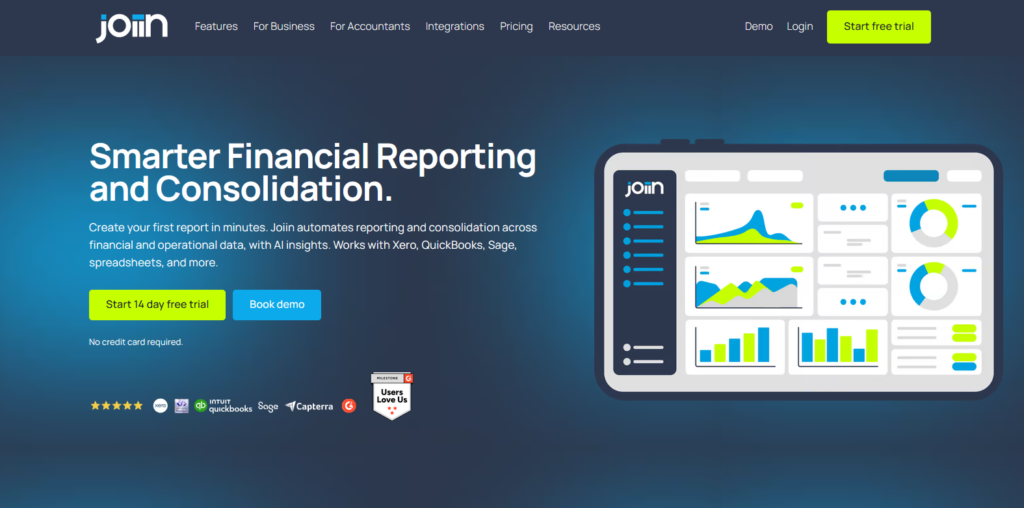
What Exactly Is Joiin?
Through several iterations of Financial Consolidation, Joiin first appeared in 2018, specifically designed to automate the consolidation of financial reports, connecting directly to the accounts of companies and entities, and pulls data from Xero, QuickBooks, Sage, and even Excel files to generate standardized reports, income statements, balance sheets, cash flow statements, and even key performance indicators—all in one place—instead of having to manually reconstruct them every month and repeat the same routine.
The core idea is simple: instead of Excel serving as the fragile “integration layer” between separate accounting systems, Joiin becomes that layer—but in an automated, real-time manner.
The Honest Moment: How Much Does It Actually Cost?
This is where it’s worth pausing, because the pricing structure varies based on the number of entities you manage, not the number of users—and this is an important detail for any accounting firm that manages multiple clients with a relatively large team.
| Plan | Entities Included | Monthly Price (Annual Billing) | Monthly Price (Monthly Billing) |
|---|---|---|---|
| Starter | Up to 2 entities | $24/mo | $23/mo |
| Small | Up to 5 entities | $45/mo | $57/mo (5-10 range) |
| Medium | Up to 10 entities | $73/mo | $57/mo (5-10 range) |
| Large | Up to 20 entities | $110/mo | $139/mo (20-50 range) |
| X-Large | Up to 50 entities | $136/mo | $139/mo (20-50 range) |
| XX-Large | Up to 100 entities | $197/mo | $252/mo (+$3/extra entity) |
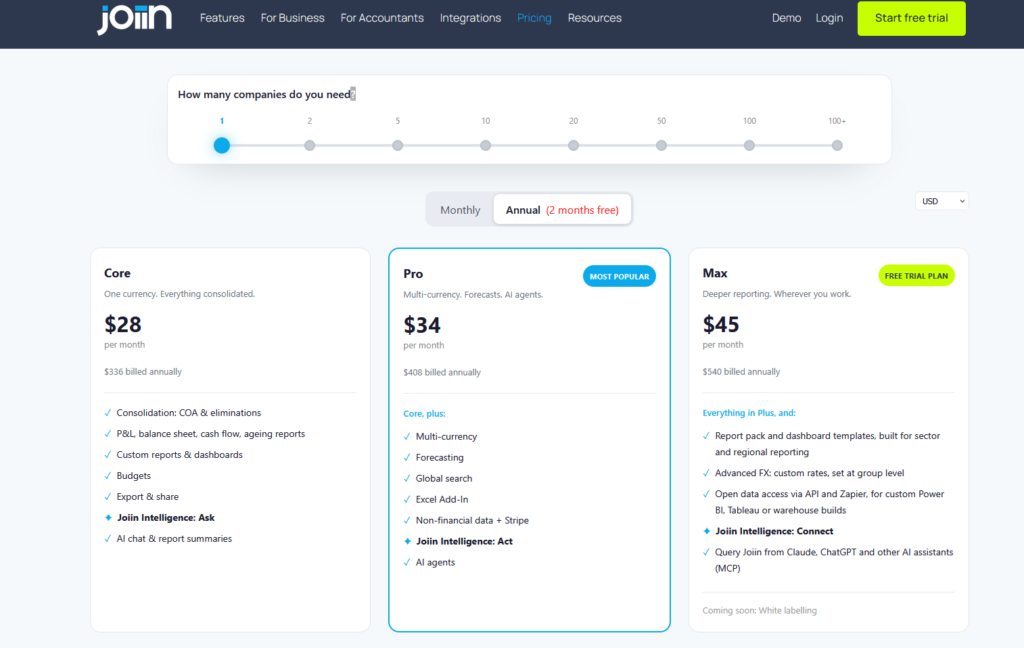
What’s noteworthy here—and what you should know—is that there’s no limit on the number of users for any of the plans. This feature is what makes Joiin stand out among its competitors, which charge additional fees for each new user. For an accounting firm with ten employees, the cost will be significantly lower.
Why Accountants Specifically Care About This
The answer to this question lies in the experiences of real users, not in a marketing page. Users say they’ve saved a great deal of time and effort thanks to Joiin. In one review, a user describes how they “went from a single monthly review of consolidated data to being able to review it whenever they want,” thanks to full automation, and another user describes moving from “manually exporting QuickBooks reports and building complex spreadsheets” to a simple setup that doesn’t require watching many YouTube videos to understand how to use it.
The tool is also certified as an Intuit Platinum Partner and was a finalist in the 2025 Xero Global Awards, ranking 45th out of 356 competitors in a global ranking of AI-powered accounting tools—these are genuine signs of trust, not just slogans on the website.
The Voice Worth Hearing Before You Subscribe
But let’s be completely honest here, because this is exactly what sets a genuine review apart from a sales page. One of the most common criticisms in user reviews relates to exchange rate integration—some users have noted that foreign currency figures within Joiin don’t always match the balances or exchange rates actually used in Xero, which sometimes results in inconsistent reports. If your business relies heavily on multiple currencies across your entities, this detail is worth testing carefully during the trial period before making any long-term commitment.
Also, there is no dedicated mobile app for Joiin—although the reports themselves are responsive and viewable on any device via a browser, this is not a standalone app in the strict sense.
Joiin vs the Alternatives
| Tool | Best For | Starting Price | Key Differentiator |
|---|---|---|---|
| Joiin | Multi-entity consolidation for accountants & SMBs | $23-24/mo | Unlimited users on every plan |
| Fathom | Financial analysis & forecasting | Higher entry tier | Stronger forecasting/scenario tools |
| Syft Analytics | Consolidation + analytics | Comparable range | Deeper analytics dashboards |
| Spreadsheet-based (Excel/Google Sheets) | Manual consolidation | Free | No automation, high error risk |
The key difference between Joiin and continuing to use Excel isn’t just time—it’s the potential for human error. Every time a number is manually copied from one system to another, there’s a chance of an error that won’t be detected for months—and sometimes only after the report has reached the client or the board of directors.
Who Is Joiin Actually Right For?
- Accounting firms that manage multiple clients, each of whom owns more than one legal entity
- Owners of groups of companies who need a unified view of the performance of all their subsidiaries in one place
- Growing companies that have begun to expand into multiple entities but have not yet reached a scale that justifies costly ERP systems such as NetSuite or Sage Intacct
If you want to try it out for yourself first, [from here] — no credit card required.
FAQ
How much does Joiin cost per month?
Prices start at $23–$24 per month for a plan that supports two entities and increase based on the number of entities—not the number of users—up to $197 per month (billed annually) for a plan that supports up to 100 entities.
Does Joiin support an unlimited number of users?
Yes — unlike many competing financial reporting tools, Joiin allows an unlimited number of users on all of its plans at no additional cost.
Which accounting systems are integrated with Joiin?
It integrates directly with Xero, QuickBooks Online, and Sage Accounting, and also supports manual uploads of Excel/CSV files.
Are there any known issues with Joiin?
The most common criticism concerns exchange rate integration, as some users have noted discrepancies between the currency amounts in Joiin and the actual balances in Xero; additionally, there is no standalone mobile app for the tool.
Is there a free trial period?
Yes, a full 14 days without having to enter a credit card.
The Actual Verdict
joiin isn’t a one-size-fits-all tool—but it is, in fact, an excellent solution for a very specific problem: consolidating financial data across multiple entities without getting bogged down in complex Excel spreadsheets. If you’re an accountant managing multiple clients with multiple entities, or the owner of a group of companies growing faster than spreadsheets can keep up with, the difference between continuing to do things manually and switching to a tool like this is often measured in days saved each month—not just a little extra convenience.
Sources
Capterra, “Joiin Software Pricing, Alternatives & More 2026”: https://www.capterra.com/p/186096/Joiin-Reporting/
Software Finder, “Joiin: Pricing, Free Demo & Features”: https://softwarefinder.com/accounting-software/joiin
Joiin, official website: https://www.joiin.co/
GetApp, “Joiin 2026 Pricing, Features, Reviews & Alternatives”: https://www.getapp.com/finance-accounting-software/a/joiin-reporting/
Software Advice, “Joiin Software Reviews, Demo & Pricing – 2026”: https://www.softwareadvice.com/accounting/joiin-reporting-profile/
Also read: https://bestimoz.com/insightful-io-review-2026-features-pricing/